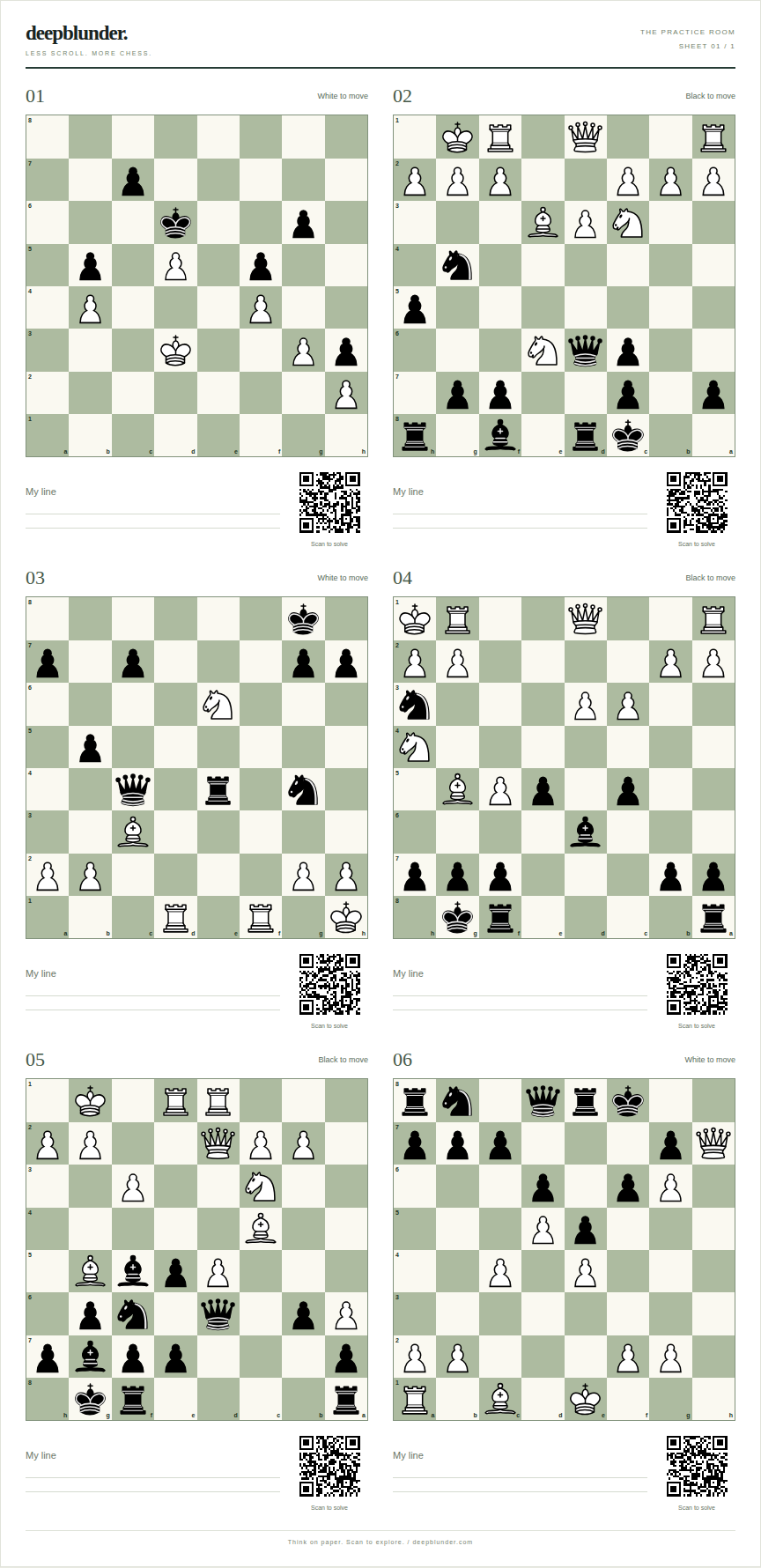
A paper worksheet keeps the board still and the distractions away. DeepBlunder creates six diagrams per page with space for your candidate moves and a QR code beside every position.
Create a puzzle sheetStart with six real Lichess puzzles rated below 1000. Print the worksheet, write down your candidate moves, then open the separate answers when you are ready. This is a fixed sample; the generator makes fresh selections.
For US Letter or a different theme and puzzle-rating band, create your own sheet. Puzzle data: Lichess CC0. Piece artwork: Colin M. L. Burnett, GPLv2 or later; credits and editable sources.
Choose random puzzles or focus on a theme such as forks, pins, discovered attacks or checkmates. Set a Lichess puzzle-rating band: below 1000, 1000–2000 inclusive, or above 2000. Puzzle ratings measure puzzle difficulty; they do not correspond directly to a playing rating.
The practice sheet shows the position and side to move, not the answer or tactical theme. Select A4 or US Letter, then use “Print / save PDF.” The separate answer sheet provides a representative solution and a link to the original puzzle.
For rated puzzles, your phone opens the original interactive Lichess puzzle, where you play your moves and get feedback. Personal game exercises open an analysis board instead because they have no public puzzle ID. The separate answer sheet retains an explicit analysis link. No account is needed for the worksheet, and the QR has no DeepBlunder redirect or tracking.
If you do not know which theme to choose, import recent games and get evidence-linked practice suggestions. Personal-game analysis is approximate and runs locally.
Exercises come from a quality-filtered subset of the CC0 Lichess puzzle database. DeepBlunder is independent, not affiliated with Lichess.